FacturaFácil RD Desktop
Install, request your license and register your business. Three screens and you are selling.
Download FacturaFácil RD Desktop
Windows may warn that the publisher is not verified: choose “More info” and “Run anyway”.
File SHA-256 fingerprinte672c2d706a52a27426e0429669dc1dec192e13cb0b3e43a93dd9ff8d131345d
How activation works
-
1
Install on your PC
Download the installer with the button above, open it and follow the wizard. Windows 10 or 11.
-
2
Request your license
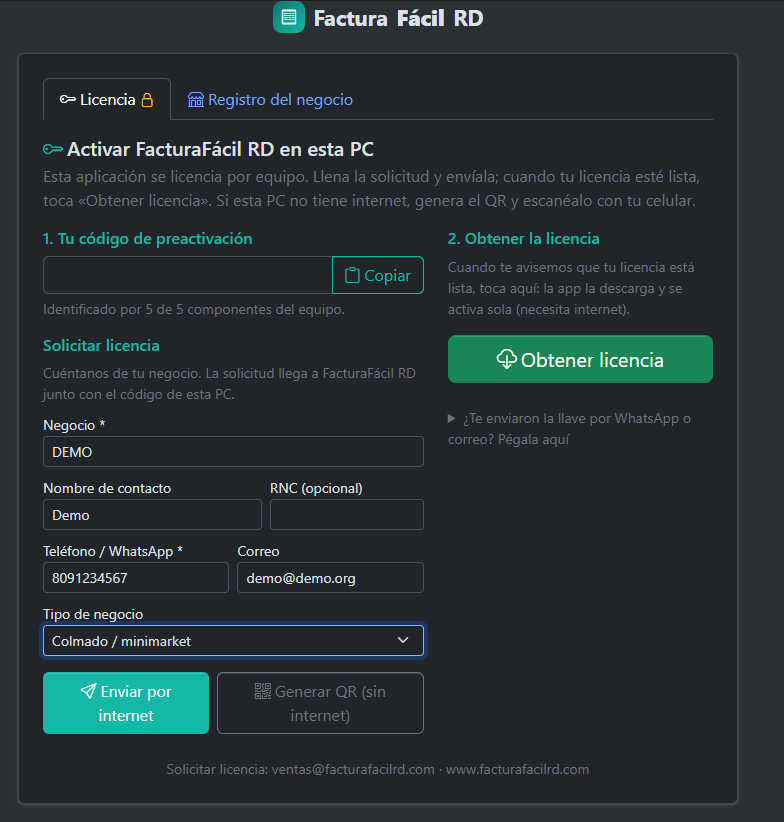
When the app opens, fill in your business details and tap “Send over the internet”. If that PC has no internet, tap “Generate QR” and scan it with your phone: the request goes out from the phone.
-
3
Get the license
When we tell you it is ready, tap “Get license”. The app downloads it and activates itself.
-
4
Register your business
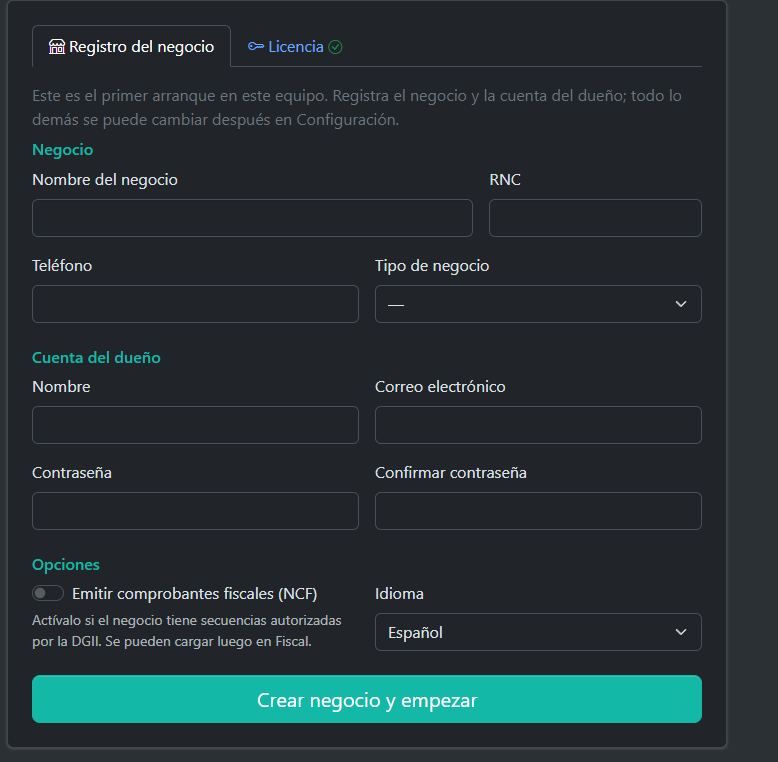
The details come pre-filled from your request. Set the owner password and start selling.
The license is tied to your computer. If you change PCs, ask us for a new key.
Install it today
Download the installer, request your license from the app and start selling.